 1c2621cd60
Relates #21. Please see acceptance docs for feature details.

Signed-off-by: Aaron Tan <jangsutsr@gmail.com>
4.9 KiB
Introduction
Before Tower 3.3, auth token is used as the main authentication method. Starting from Tower 3.3, session-based authentication will take the place as the main authentication, while auth token will be replaced by OAuth tokens also introduced in 3.3.
Session authentication is a safer way of utilizing HTTP(S) cookies:
Theoretically, user can provide authentication information, like username and password, as part of the
Cookie header, but this method is vulnerable to cookie hijacks, where crackers can see and steal user
information from cookie payload.
Session authentication, on the other hand, sets a single sessionid cookie, called 'session'. Session
is a random string which will be mapped to user authentication informations by server. Crackers who
hijacks cookie will only get session itself, which does not imply any critical user info, valid only for
a limited time, and can be revoked at any time.
Usage
In session authentication, user log in using endpoint /api/login/. GET to /api/login/ displays the
log in page of API browser:
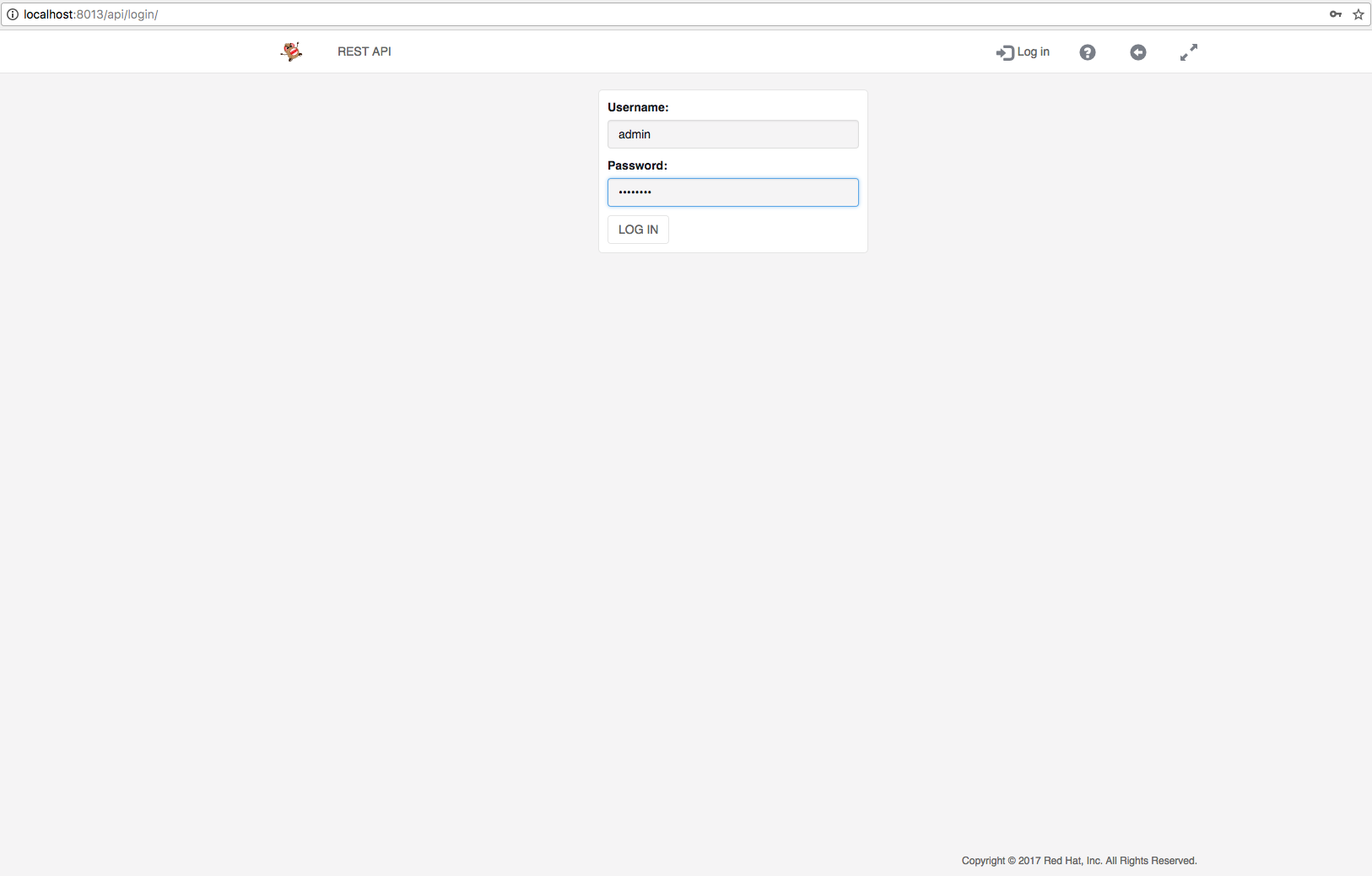
User should enter correct username and password before clicking on 'LOG IN' button, which fires a POST
to /api/login/ to actually log the user in. The return code of a successful login is 302, meaning upon
successful login, the browser will be redirected, the redirected destination is determined by next form
item described below.
It should be noted that POST body of /api/login/ is not in JSON, but HTTP form format. 4 items should
be provided in the form:
username: The username of the user trying to log in.password: The password of the user trying to log in.next: The path of the redirect destination, in API browser"/api/"is used.csrfmiddlewaretoken: The CSRF token, usually populated by using Django template{% csrf_token %}.
Session is provided as a return Set-Cookie header. Here is a typical one:
Set-Cookie: sessionid=lwan8l5ynhrqvps280rg5upp7n3yp6ds; expires=Tue, 21-Nov-2017 16:33:13 GMT; httponly; Max-Age=1209600; Path=/
Any client should follow the standard rules of cookie protocol to
parse that header to obtain information about the session, such as session cookie name (sessionid),
session cookie value, expiration date, duration, etc.
The duration of the cookie is configurable by Tower Configuration setting SESSION_COOKIE_AGE under
category authentication. It is an integer denoting the number of seconds the session cookie should
live.
After a valid session is acquired, a client should provide session as a cookie for subsequent requests in order to be authenticated. like
Cookie: sessionid=lwan8l5ynhrqvps280rg5upp7n3yp6ds; ...
User should use /api/logout/ endpoint to log out. In API browser, a logged in user can do that by
simply clicking logout button on the nav bar. Under the hood the click issues a GET to '/api/logout/',
Upon success, server will invalidate current session and the response header will indicate client
to delete the session cookie. User should no longer try using this invalid session.
The duration of a session is constant. However, user can extend the expiration date of a valid session by performing session acquire with the session provided.
A Tower configuration setting, SESSIONS_PER_USER under category authentication, is used to set the
maximum number of valid sessions a user can have at the same time. For example, if SESSIONS_PER_USER
is set to 3, while the same user is logged in via 5 different places, and thus have 5 valid sessions
available at the same time, the earliest 2 (5 - 3) sessions created will be invalidated. Tower will try
broadcasting, via websocket, to all available clients. The websocket message body will contain a list of
invalidated sessions. If a client finds its session in that list, it should try logging out.
Unlike tokens, sessions are meant to be short-lived and UI-only, therefore whenever a user's password is updated, all sessions she owned will be invalidated and deleted.
Acceptance Criteria
- User should be able to log in via
/api/login/endpoint by correctly providing all necessary fields. - Logged in users should be able to authenticate themselves by providing correct session auth info.
- Logged in users should be able to log out via
/api/logout/. - The duration of a session cookie should be configurable by
SESSION_COOKIE_AGE. - The maximum number of concurrent login for one user should be configurable by
SESSIONS_PER_USER, and over-limit user sessions should be warned by websocket. - When a user's password is changed, all her sessions should be invalidated and deleted.
- User should not be able to authenticate either HTTPS(S) request or websocket connect using invalid sessions.
- No existing behavior, like job run, inventory update or callback receiver, should be affected by session auth.