
7.4 KiB
Releasing AWX (and awx-operator)
The release process for AWX is completely automated as of version 19.5.0.
If you need to revert a release, please refer to the Revert a Release section.
Get latest release version and list of new work
- Open the main project page for AWX and AWX Operator.
Find the latest releases of the projects on the right hand side of the screen:
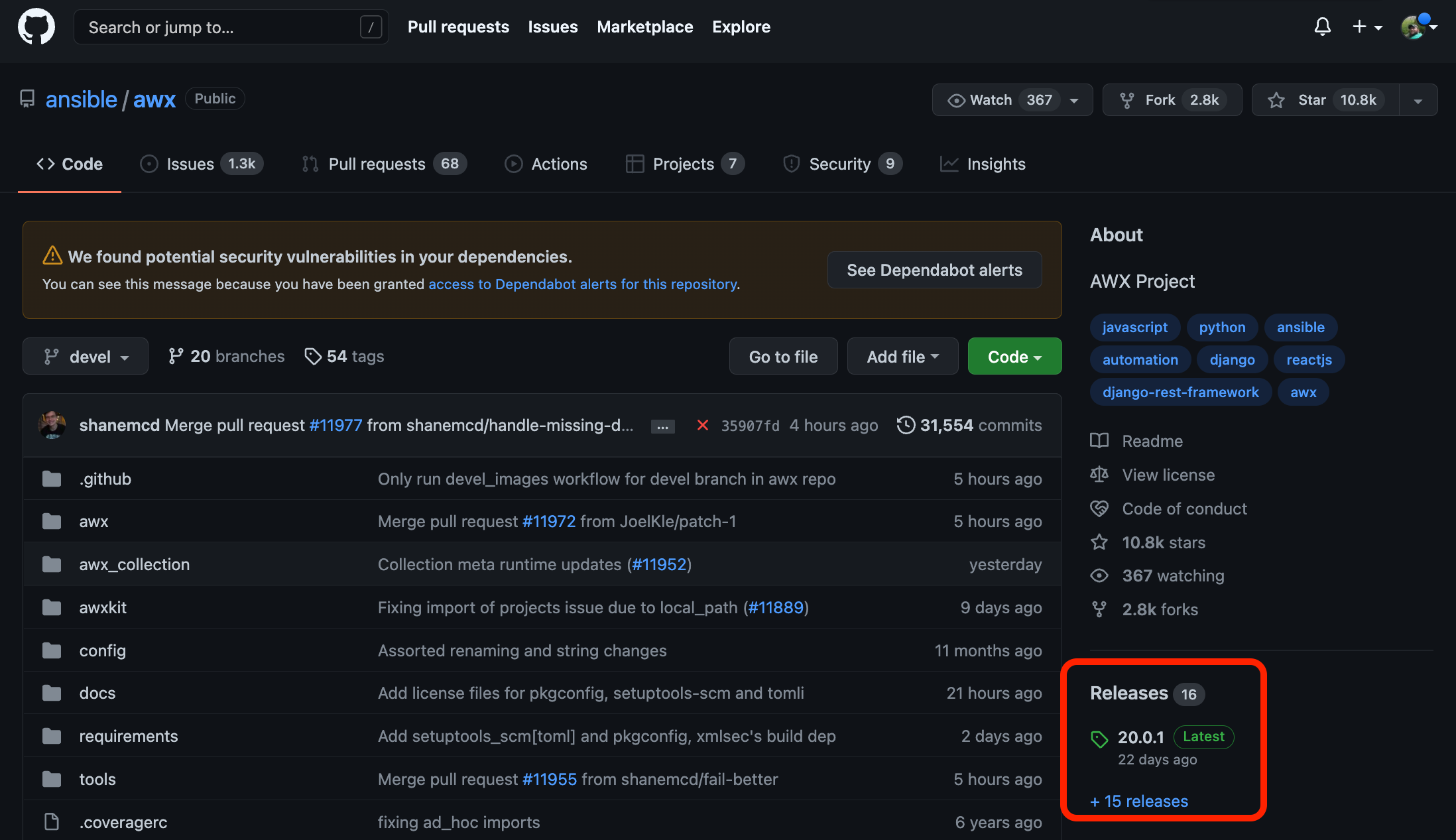
- Open the compare screen for the two projects AWX and AWX Operator.
In the two dropdowns near the top of the page leave the
comparemenu at devel and select the drop down forbaseand then selecttagsand finally select the latest release from step 1:
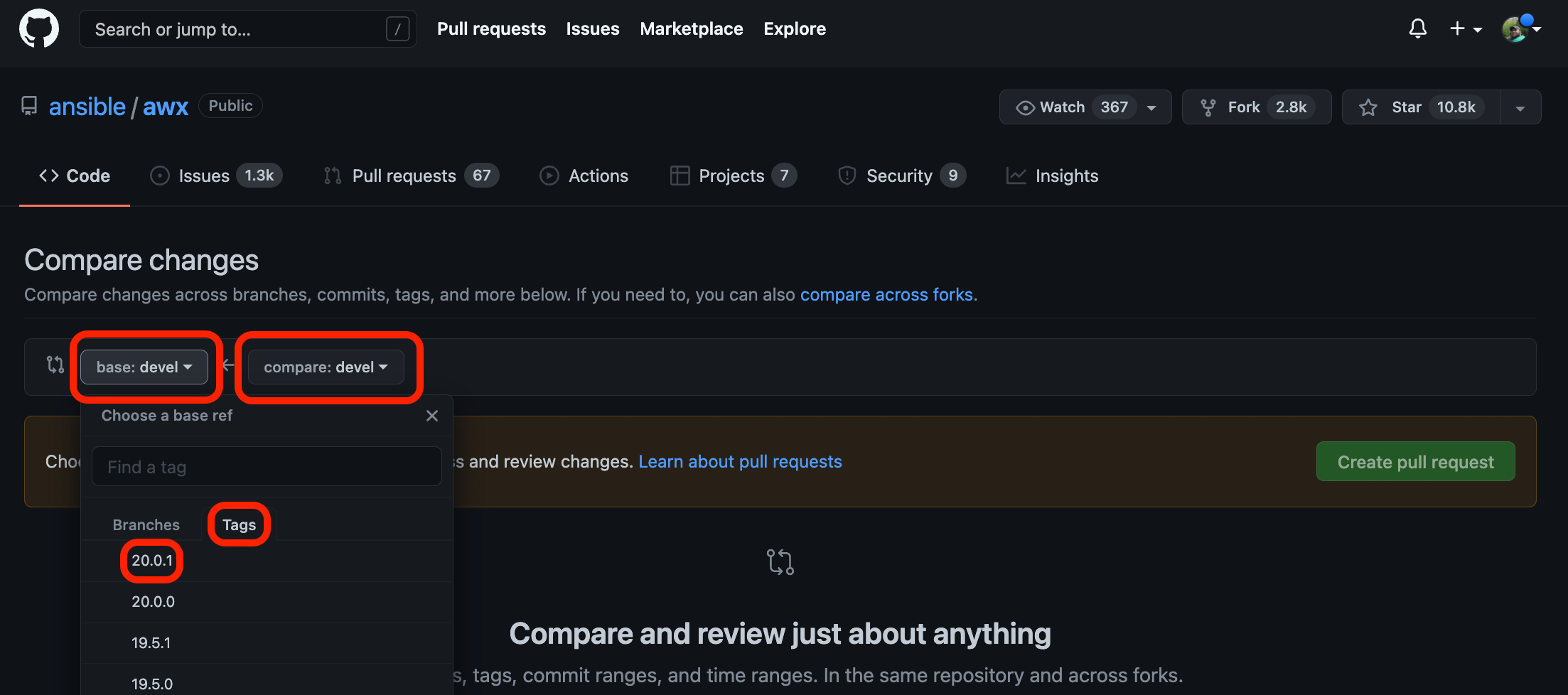
The page will now automatically update with a list of PRs that are in AWX/devel but not in the last release.
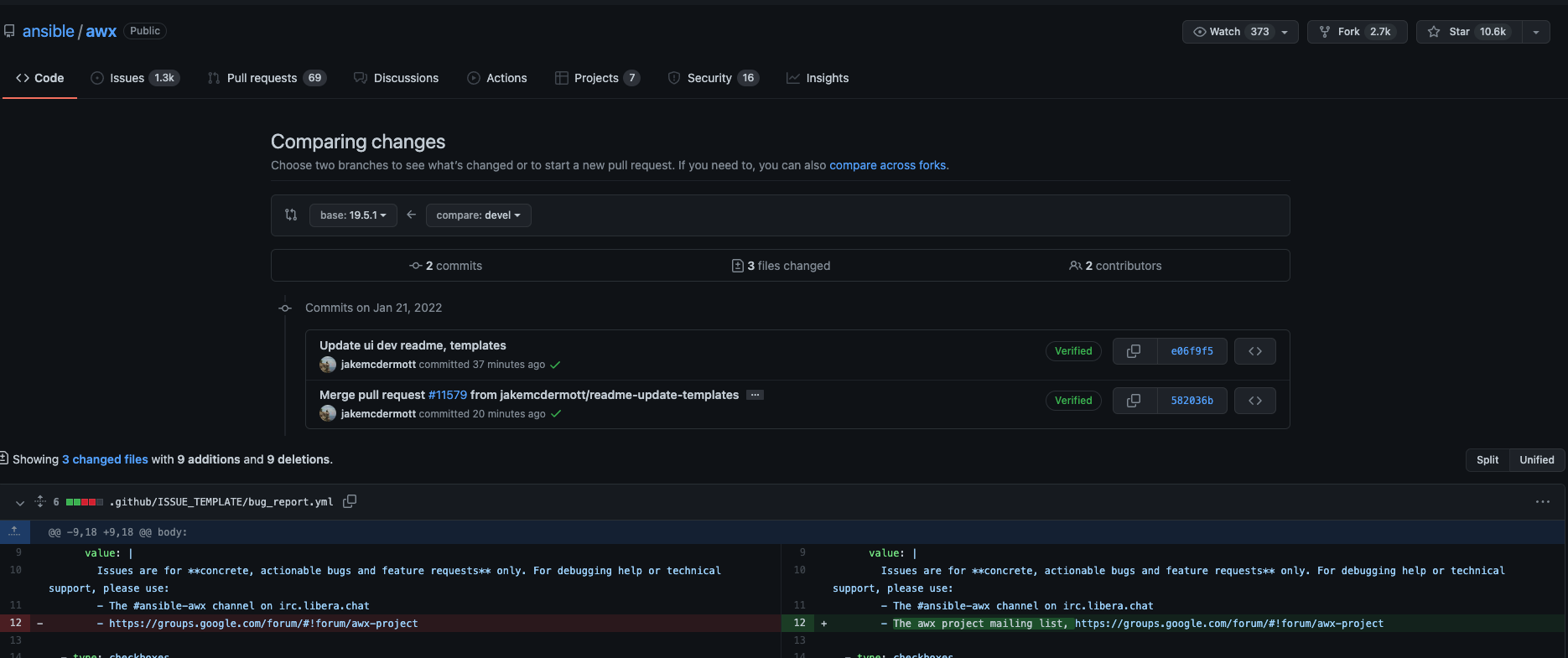
Select the next release version
Use this list of PRs to decide if this is a X-stream (major) release, Y-stream (minor) release, or a Z-stream (patch) release. Use semver to help determine what kind of release is needed.
Indicators of a Z-stream release:
- No significant new features have been merged into devel since the last release.
Indicators of a Y-stream release:
- Additional features, non disrupting change of subcomponents.
Indicators of an X-stream release:
- Disruptive changes.
If the latest release of AWX is 19.5.0:
- X-stream release version will be 20.0.0.
- Y-stream release version will be 19.6.0.
- Z-stream release version will be 19.5.1.
With very few exceptions the new AWX Operator release will always be a Y-stream release.
Stage the release
To stage the release, maintainers of this repository can run the Stage Release workflow.
The link above will take you directly to the flow execution; if you wanted to manually navigate to the screen:
- Click "Actions" at the top of GitHub.
- Click on the "Stage Release" workflow.
Once you are on the Stage Release workflow page:
- Click the "Run Workflow" drop down.
- Populate the inputs.
- Click the "Run workflow" button.

This workflow will:
- Build awx from devel
- Build awx-operator from devel
- Run smoke tests
- Create a draft release for both
ansible/awxandansible/awx-operator
Promote the draft releases
Releasing AWX, awxkit and awx.awx collection
Once staging is complete we can complete the release of awx and the operator.
-
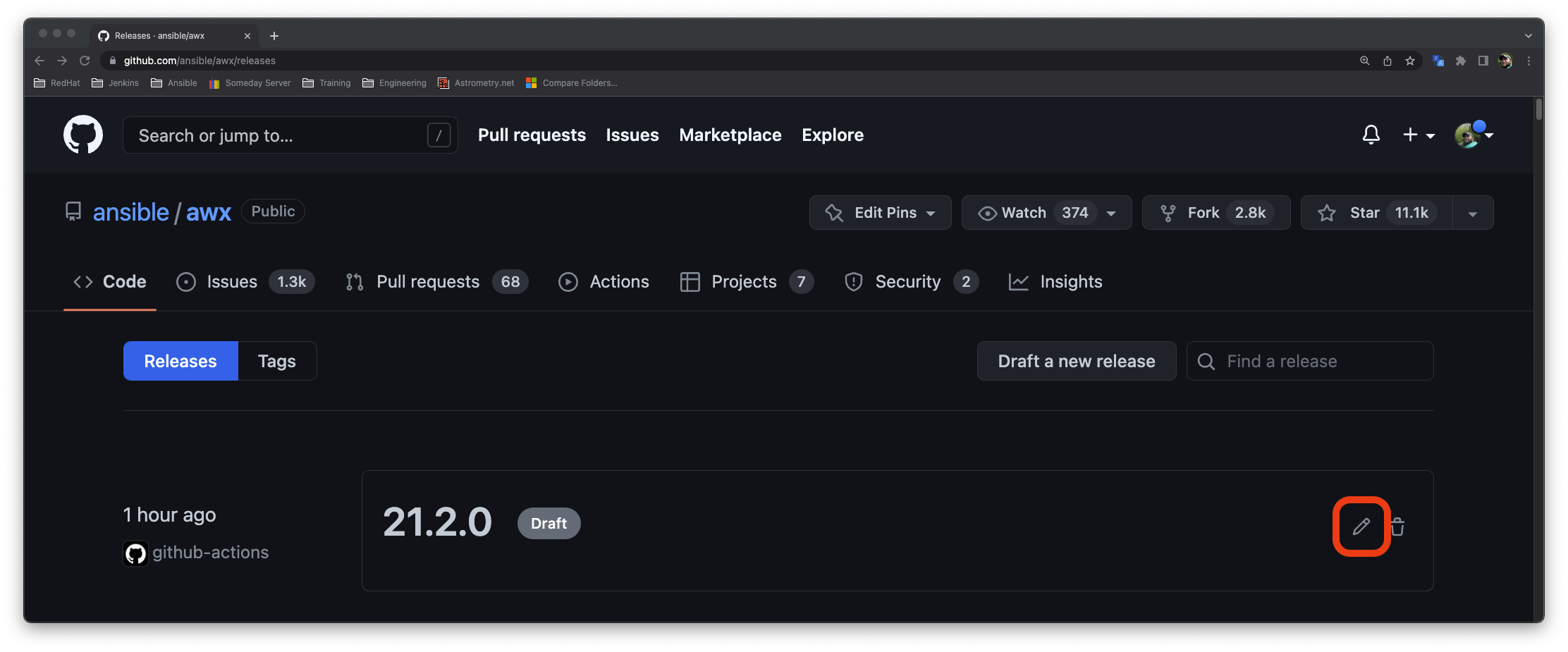
navigate to the Releases page for AWX and verify things look ok.
-
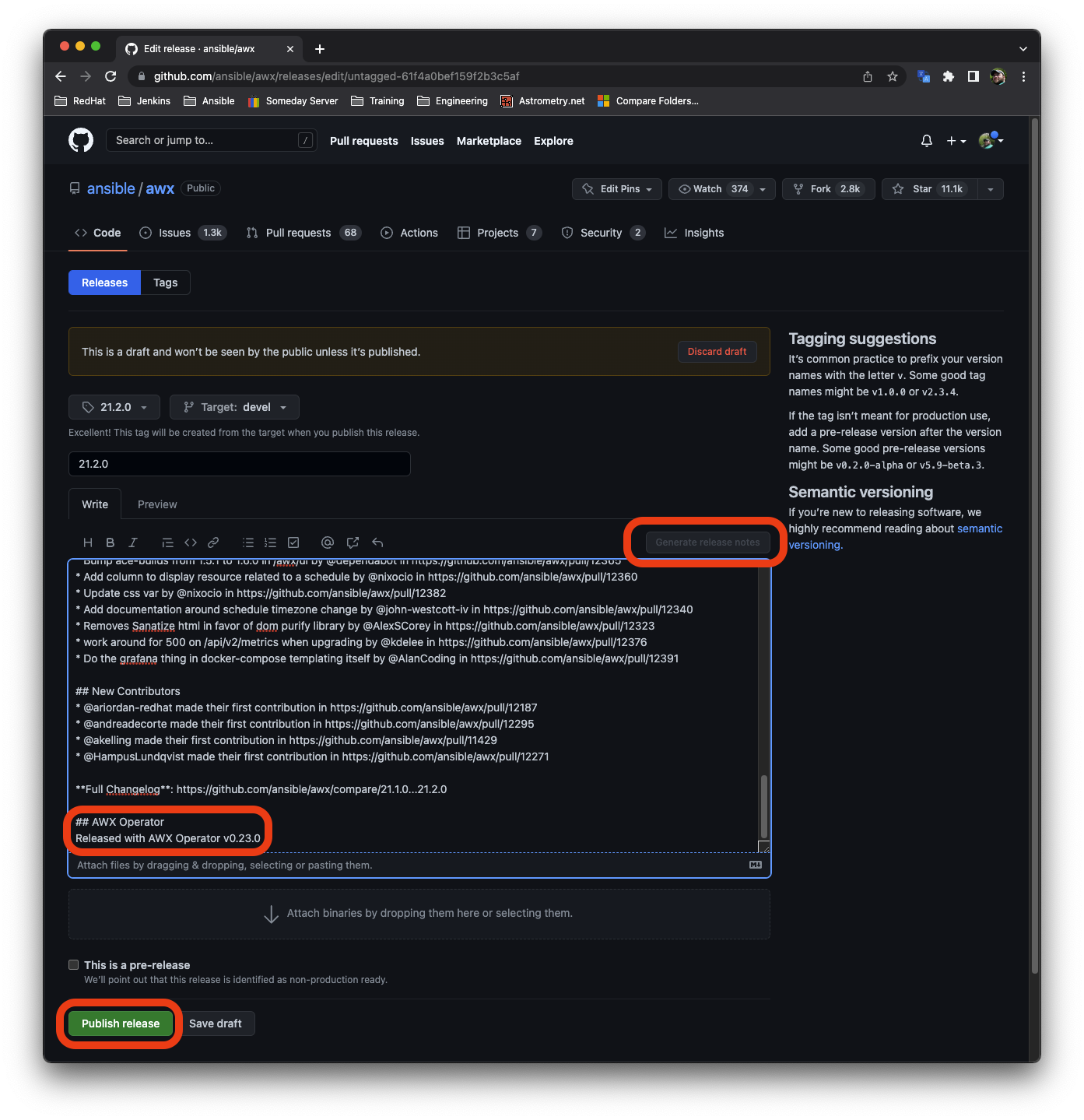
Click the pencil icon on the draft:
-
Click the generate release notes button (turns grey after clicking once)
-
Add in a message of what operator version is release with this AWX version (if applicable):
## AWX Operator
Released with AWX Operator v0.23.0
- Click "Publish Release":
Once the release is published, another workflow called Promote Release will start running:
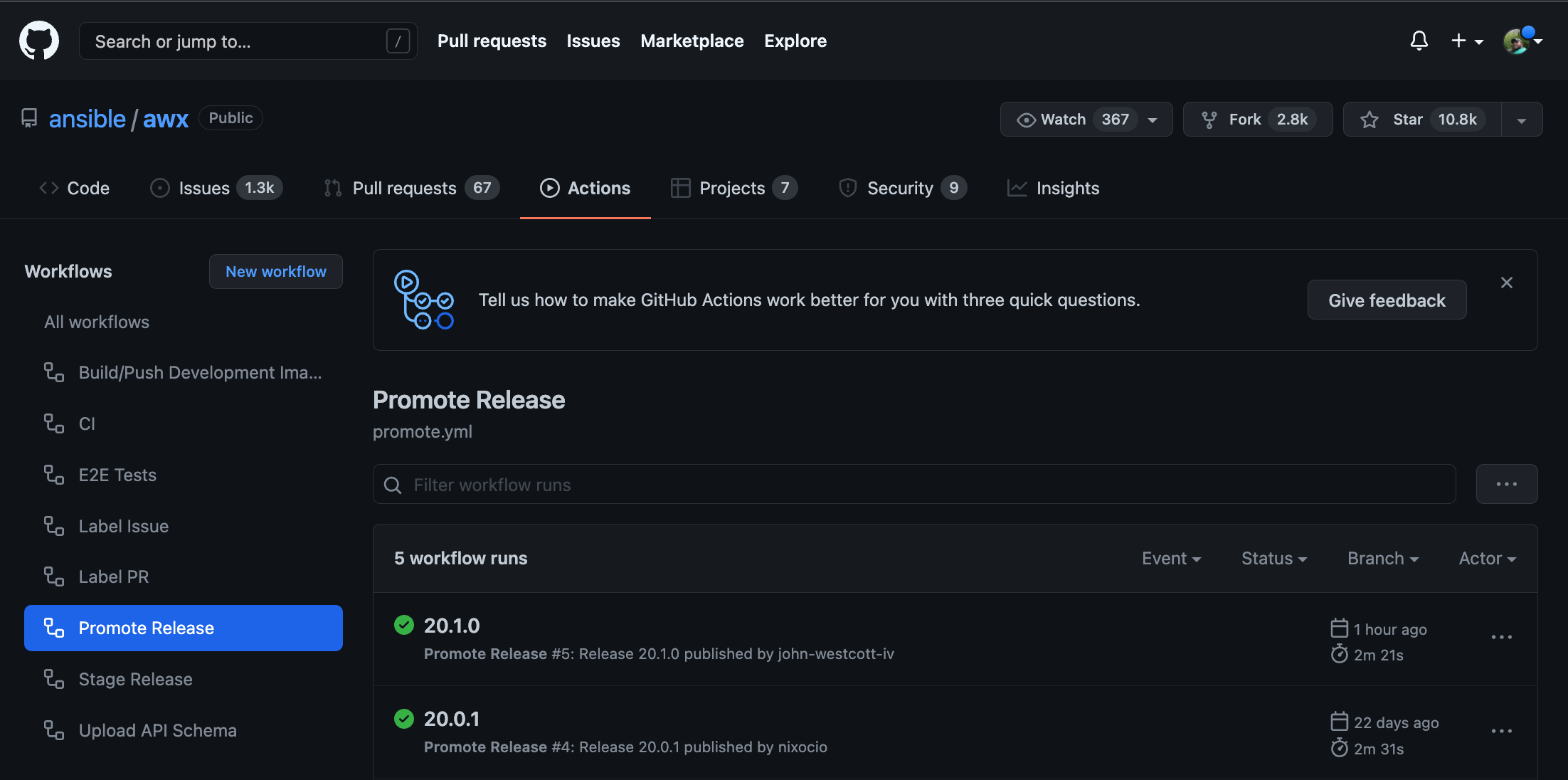
This workflow will take the generated images and promote them to quay.io in addition it will also release awxkit and the awx.awx collection. The overall process will not take long.
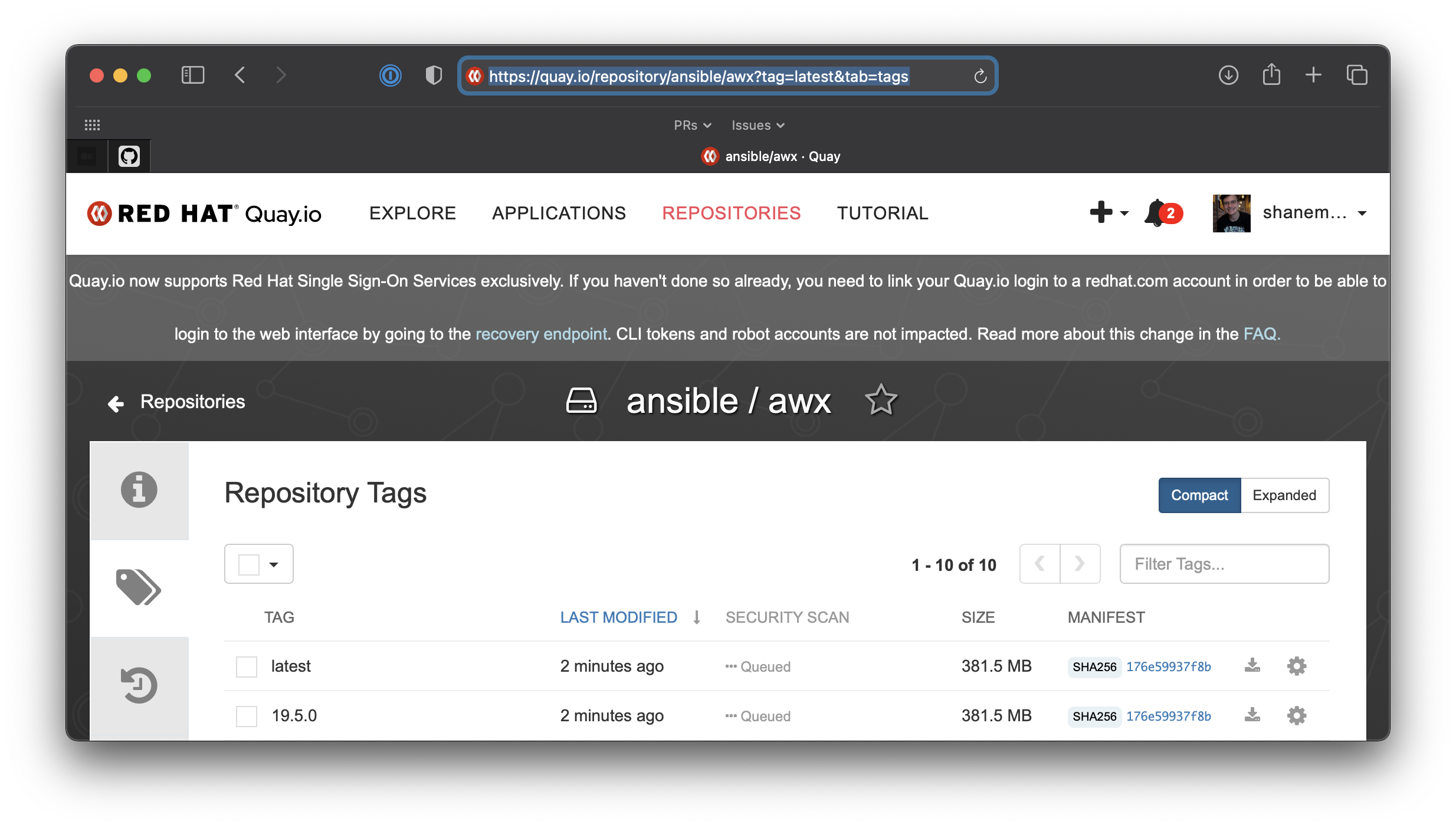
- Once the workflow is finished, verify that the new image is present on the Repository Tags on Quay:
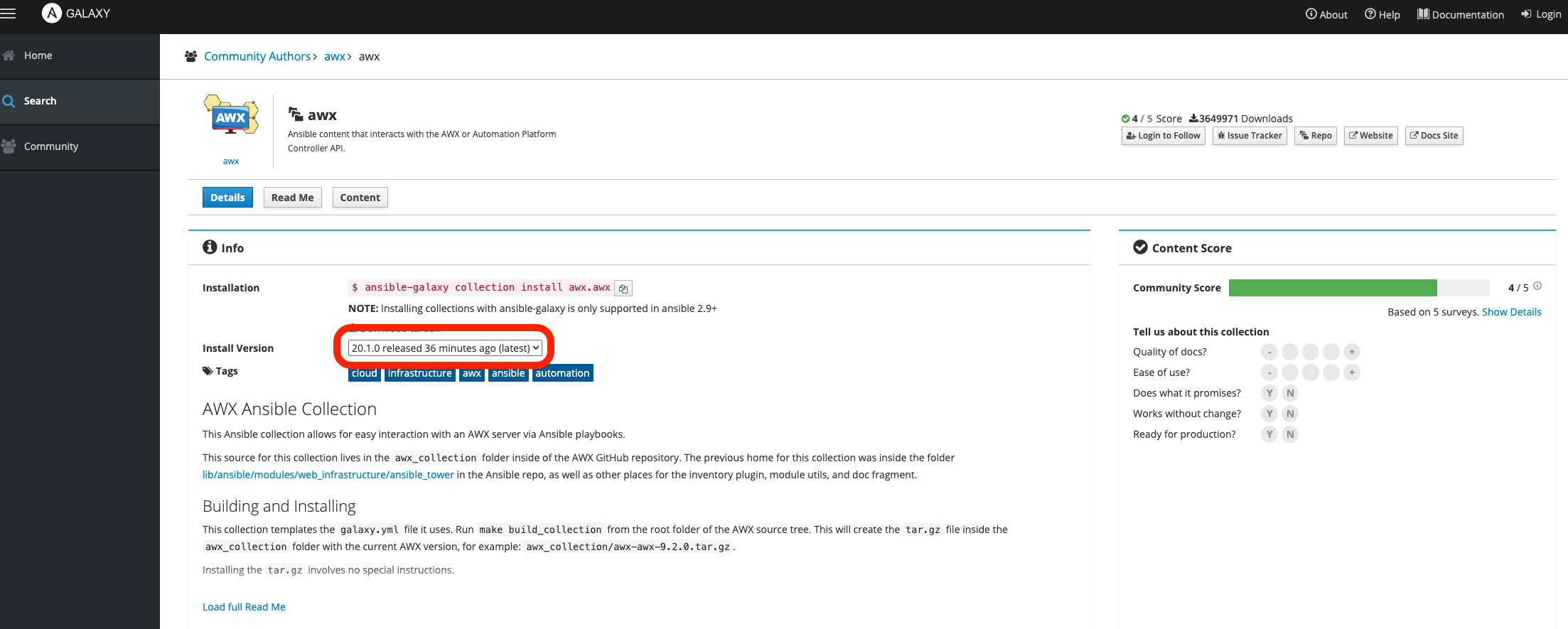
- Go to the awx.awx collection on Ansible Galaxy and validate the latest version matches and was updated recently:
- Go to awxkit's page on PiPy and validate the latest release is there:
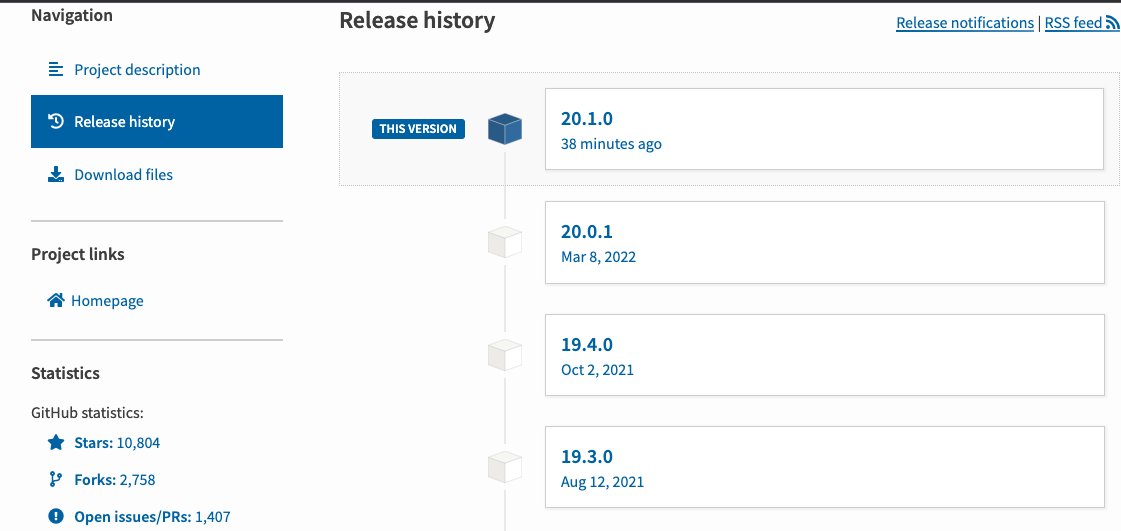
Releasing the AWX operator
Once the AWX image is live, we can now release the AWX operator.
- Navigate to the Releases page for AWX operator and follow the same process used for publishing the AWX draft except note the version of AWX released with Operator.
Once published, the workflow Promote AWX Operator image will run:
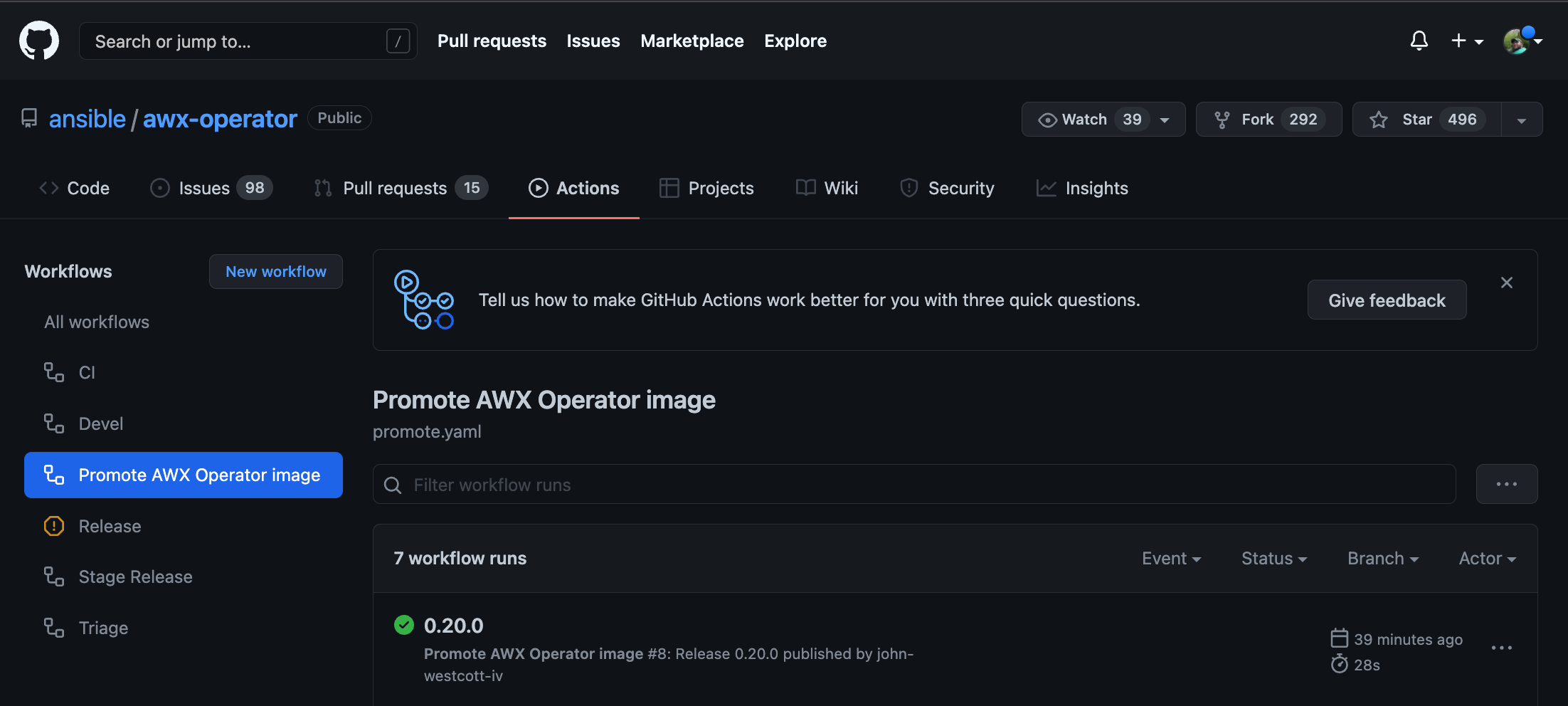
This workflow will take the generated images and promote them to quay.io.
- Once complete, verify the image is on the awx-operator Quay repository:
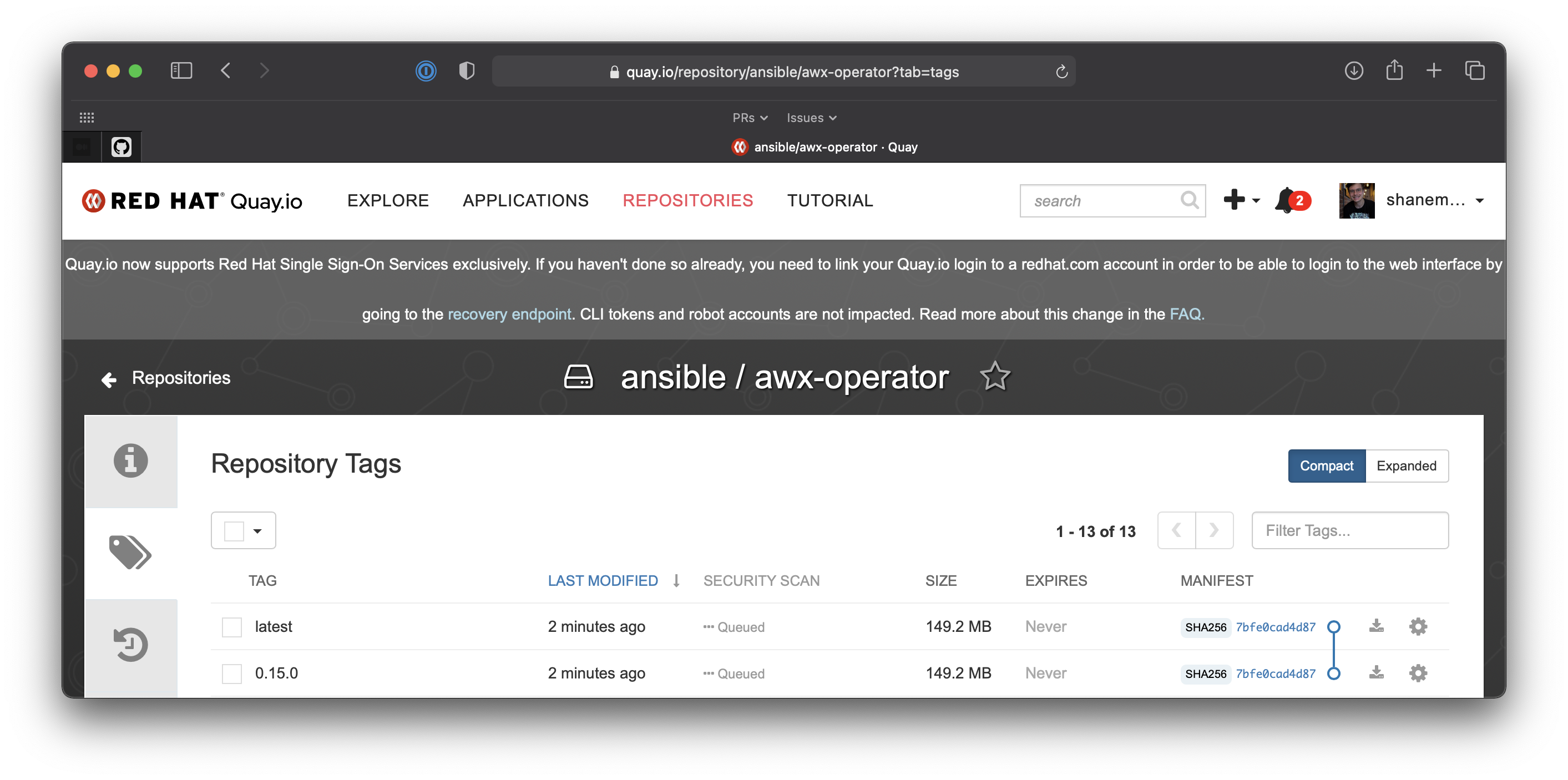
Notify the AWX mailing list
Send an email to the AWX Mailing List with a message format of type "AWX Release" from the mailing list triage standard replies
Send an IRC message over matrix to #social:ansible.com for bullhorn:
@newsbot We're happy to announce that AWX version 21.1.0 is now available! We're happy to announce that AWX Operator version 0.22.0 is now available!
Send the same IRC message (less the @newsbot) to #awx:ansible.com
Revert a Release
Decide whether or not you can just fall-forward with a new AWX Release to fix a bad release. If you need to remove published artifacts from publically facing repositories, follow the steps below.
Here are the steps needed to revert an AWX and an AWX-Operator release. Depending on your use case, follow the steps for reverting just an AWX release, an Operator release or both.
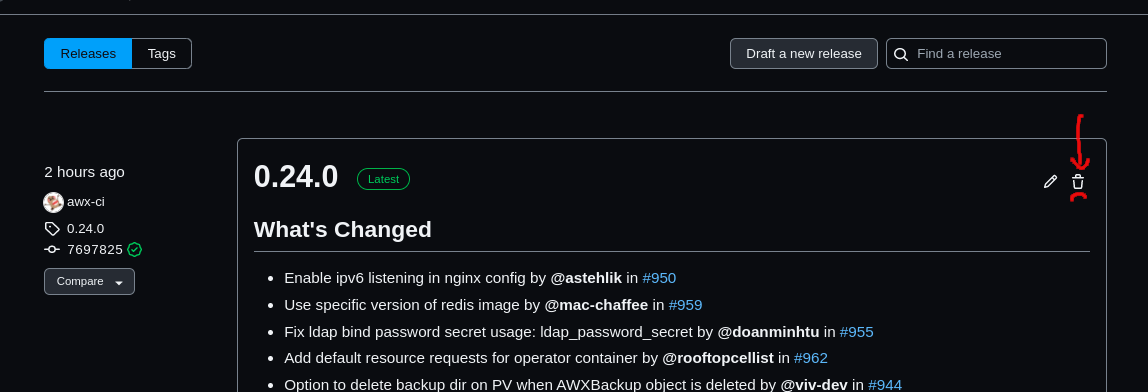
- Navigate to the AWX Release Page and delete the AWX Release that needs to be removed.
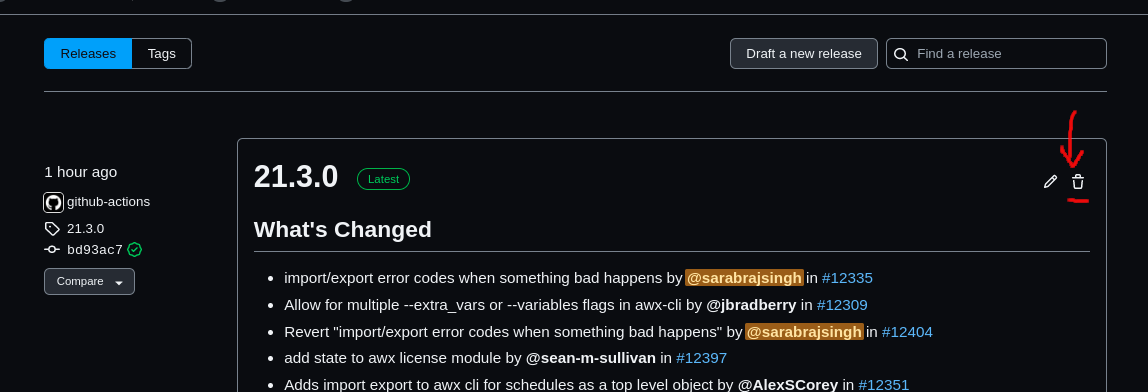
- Navigate to the AWX Tags Page and delete the AWX Tag that got created by the Github Actions Workflow from when you originally tried to release AWX. You need delete the release in step 1 before you can do this step. The tag must not be tied to a release if you want to delete a tag.
 [comment]: <> (Need an image here for actually deleting an orphaned tag, place here during next release)
- Navigate to the AWX Operator Release Page and delete the AWX-Operator release that needss to tbe removed.
-
Navigate to quay.io and delete the published AWX image(s) and tags.
-
Navigate to quay.io and delete the published AWX Operator image(s) and tags.
-
Navigate to the Ansible Galaxy Collections website and remove the published AWX collection with the bad tag.
-
Navigate to the PyPi and delete the bad AWX tag and release that got published.